QR ordering
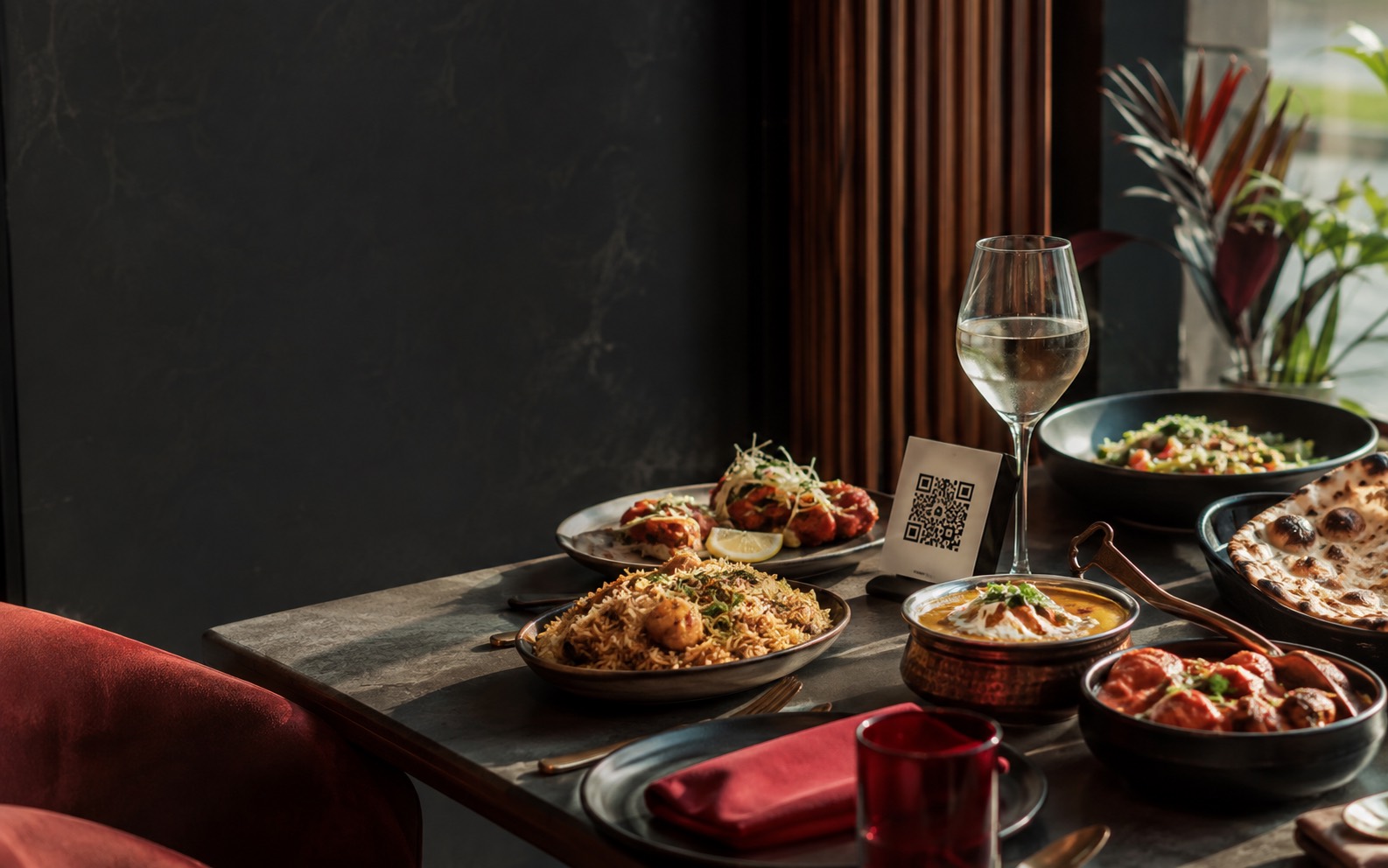
Table-linked ordering gives guests a direct route to the menu.
 Food NoonGet started
Restaurant operations, in one place
Food Noon brings guest ordering, kitchen work and service handoff into one focused operating system for restaurant teams.
Built for
The operational core
Food Noon is focused on the moments that make a shift run smoothly: the order, the kitchen, and the person bringing food to the table.
Table-linked ordering gives guests a direct route to the menu.
Kitchen teams progress each item from new to ready.
Service teams see their assigned tables and complete handoff.
Build menus with categories, customizations, availability and food labels.
Keep preparation information and stock work alongside the menu.
Owners, managers, kitchen and service teams work with defined access.
Real mobile flow
Screens from the current working prototype. Restaurant branding will be configured per business during onboarding.
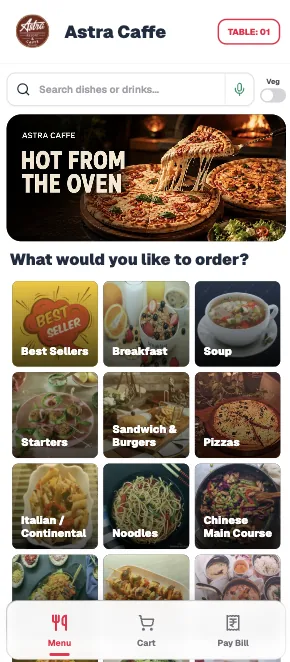
A table-linked menu starts with categories and search.
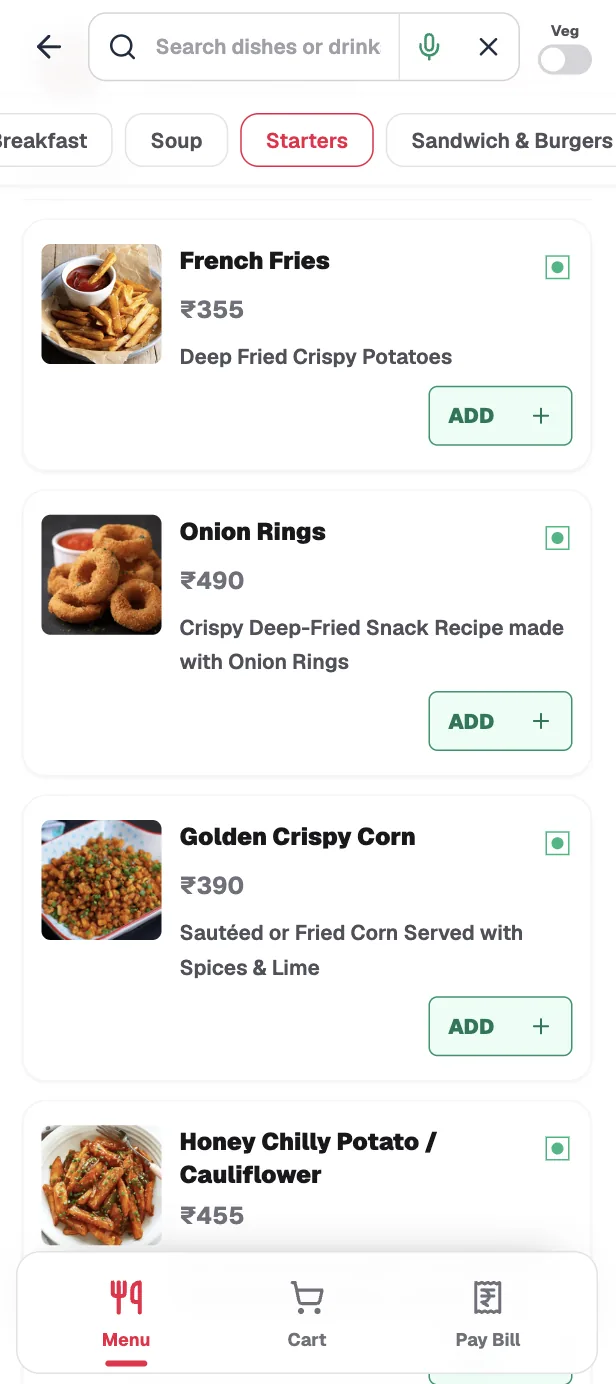
Guests review dishes and add them to their cart.
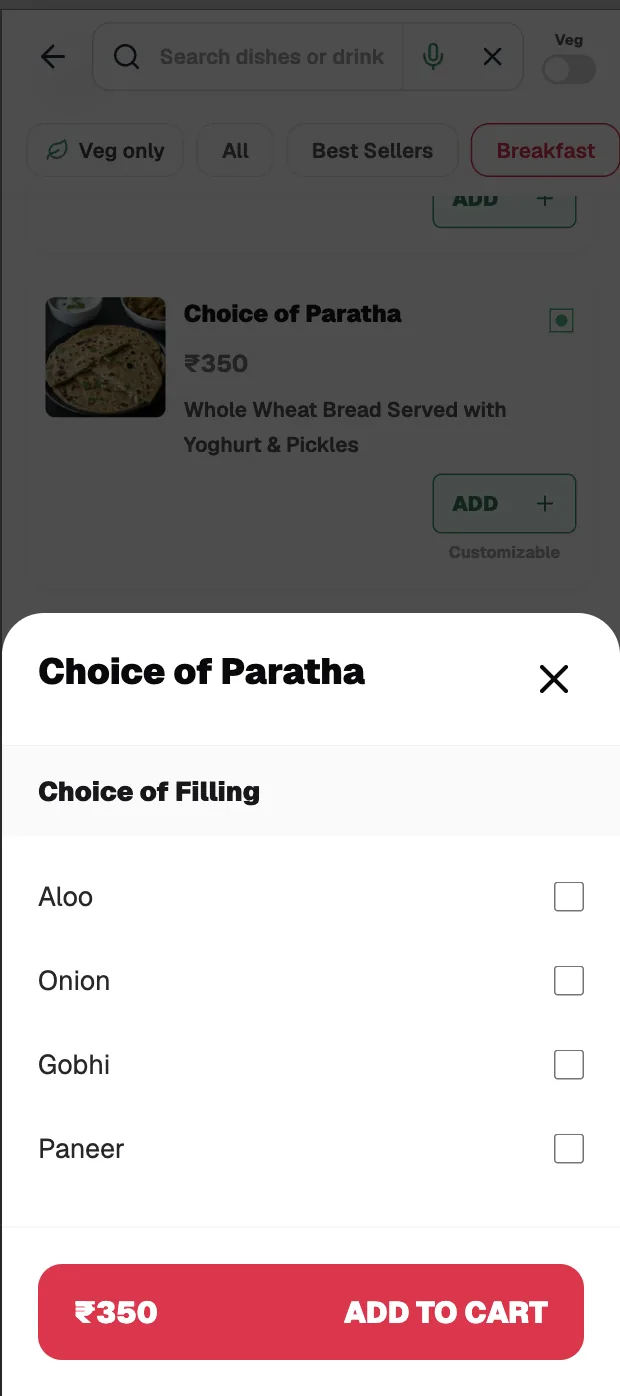
Required options are selected before an item is added.
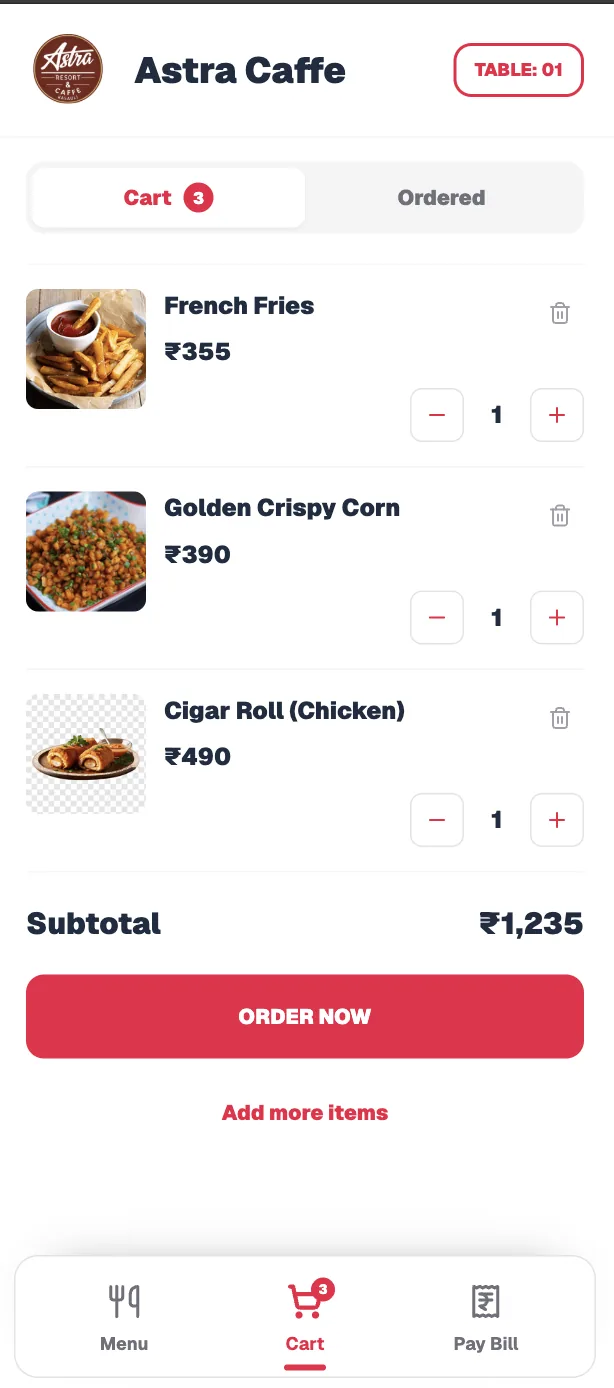
The cart keeps quantities and the running subtotal clear.
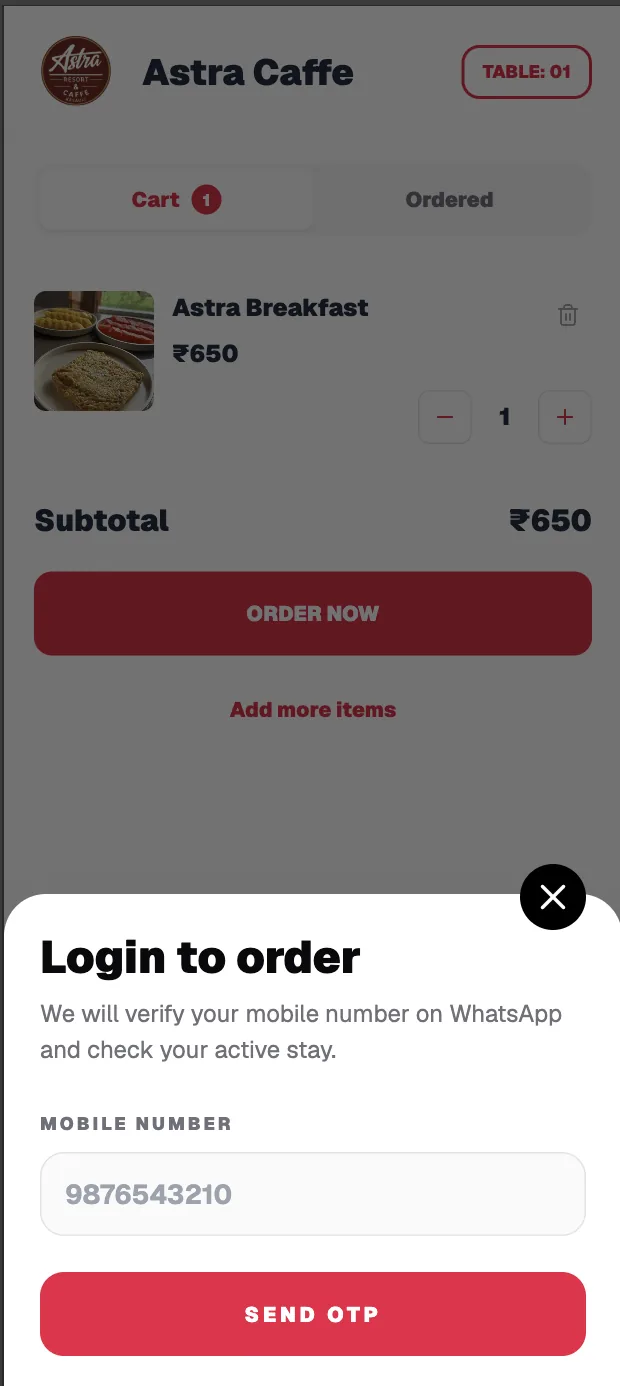
Mobile OTP verifies the guest before a food order is sent.
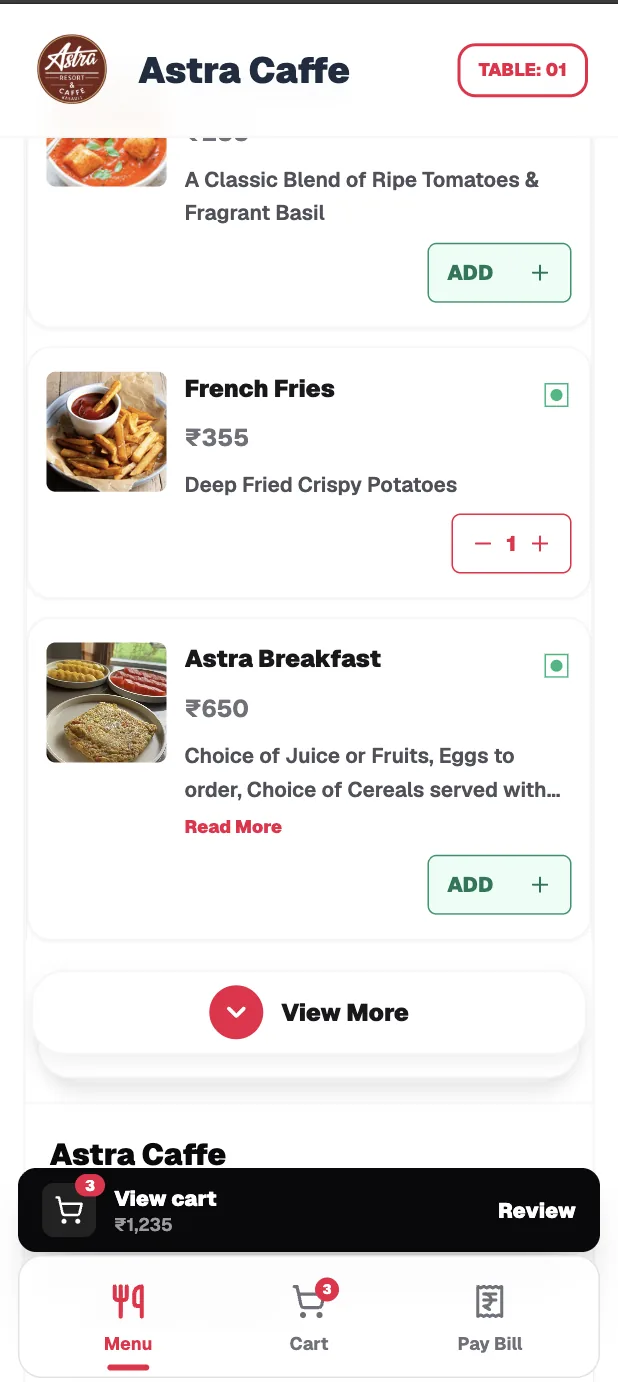
Guests can keep adding while the table session is active.
Operations preview
Illustrative Food Noon interface concepts using sample data. They show the intended operating experience, not live restaurant records.
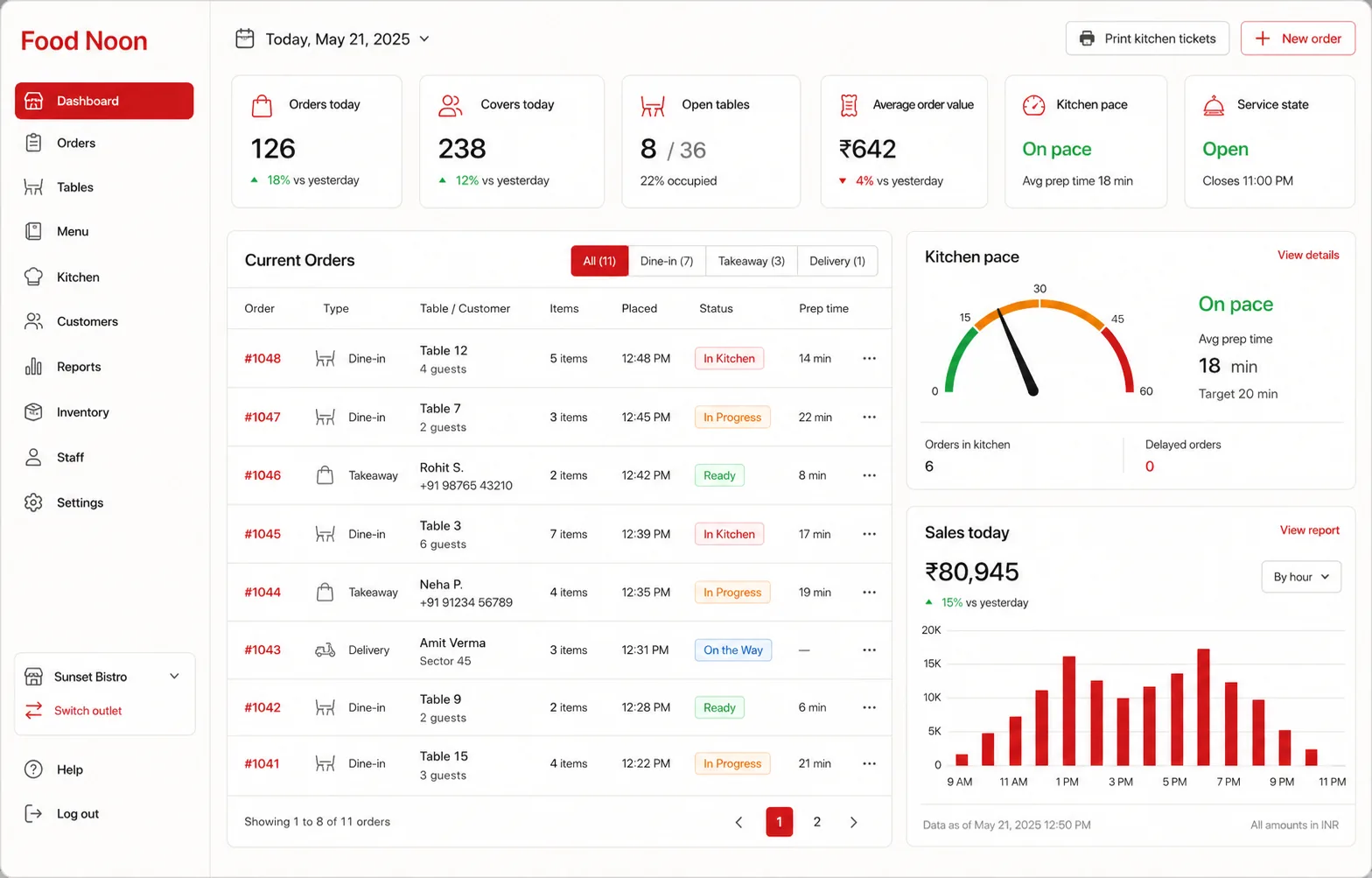
A single operational view of orders, tables and kitchen pace.
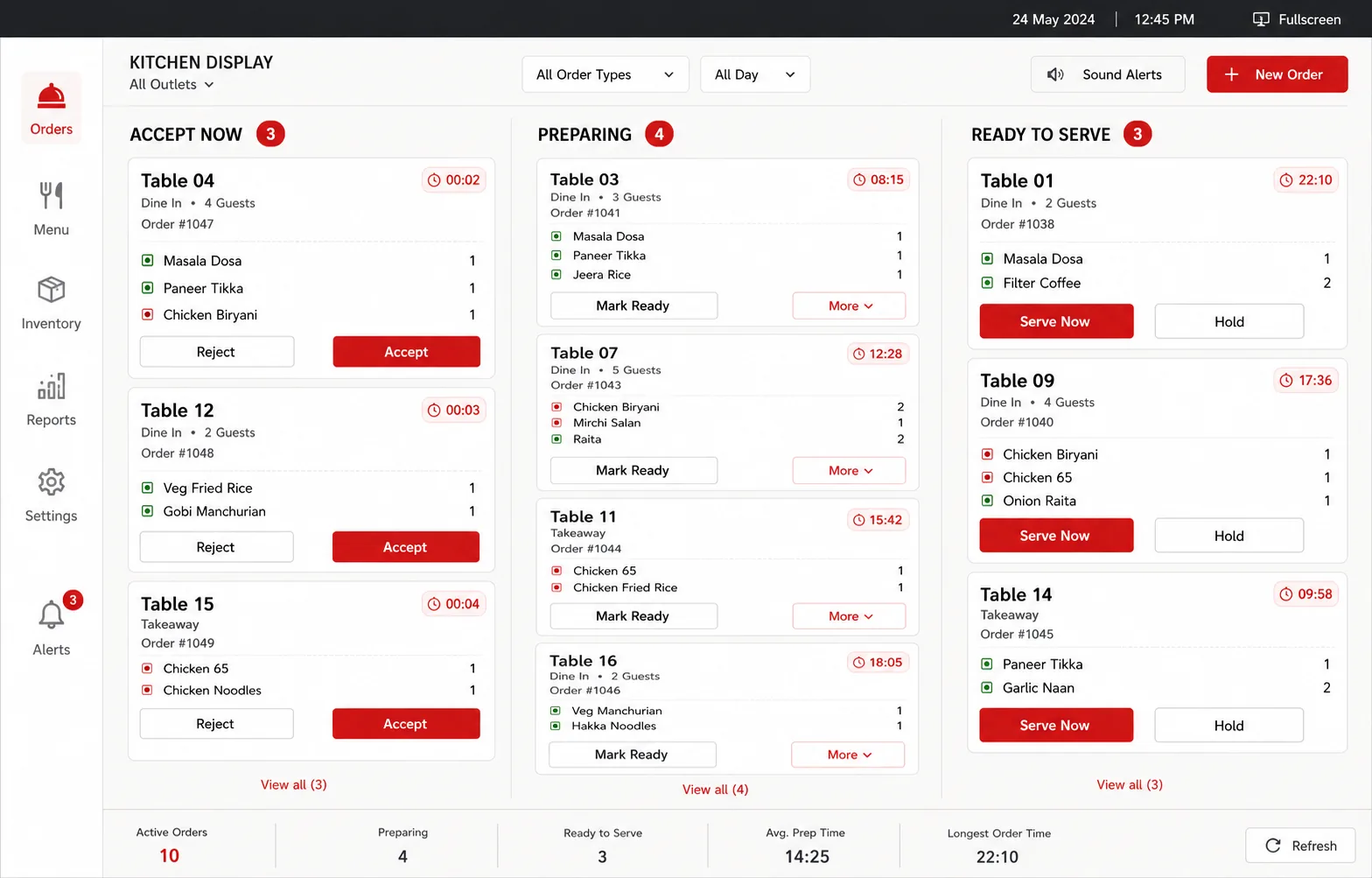
Kitchen teams progress queued dishes from acceptance to ready.
What you get
The launch scope for every restaurant onboarded to Food Noon. No booking engine, no aggregator, no payment gateway lock-in.
Designed to grow cleanly
Each restaurant keeps its own business, locations and operating data.
How a service moves
Early onboarding
Food Noon is currently onboarding restaurants individually. We set up your business, locations, team and ordering flow with you before launch.
Early-access pricing is decided per restaurant, based on outlets and volume. You get a clear quote before any setup begins.
A short call on WhatsApp to understand your outlets, menu and service style.
Business, locations, tax rules, menu, tables and staff roles are configured for you.
Kitchen and floor staff learn the displays on their own phones or screens.
Print your QR codes and start service. Typically live within 2 days of receiving your menu.
Our first customer: the ordering system behind Food Noon runs daily service at Astra Caffe, Kasauli.
No. Food Noon runs in the browser. Kitchen and steward displays work on any phone, tablet or laptop you already have, and KOTs and receipts print through your existing printer setup.
Yes. Guests scan a QR and order from their phone's browser with no app install. Staff displays are also mobile-first web pages.
Yes. We load your current menu, categories, customizations and prices during onboarding, with per-location overrides where an outlet prices differently.
No. Food Noon uses manual settlement: your team records Cash, UPI, Card or Other at the table or counter and issues a printable receipt. There is no payment gateway to integrate or pay commission on.
Typically 2 days once we have your menu and outlet details. We onboard restaurants individually and stay with you through the first services.
You do. Each restaurant's business, locations, staff, menu and orders are isolated from every other restaurant on the platform, and we never share or reuse it.
Food Noon is built for it. One business menu serves every location, with per-branch price and availability overrides, and staff only see the locations they are assigned to.
Early-access pricing is decided per restaurant based on outlets and volume. Message us on WhatsApp and we will share a clear quote before any setup begins.